> For the complete documentation index, see [llms.txt](https://docs.digia.tech/llms.txt). Markdown versions of documentation pages are available by appending `.md` to page URLs; this page is available as [Markdown](https://docs.digia.tech/logic-and-interaction/adding-logic.md).
# Functions & Operators
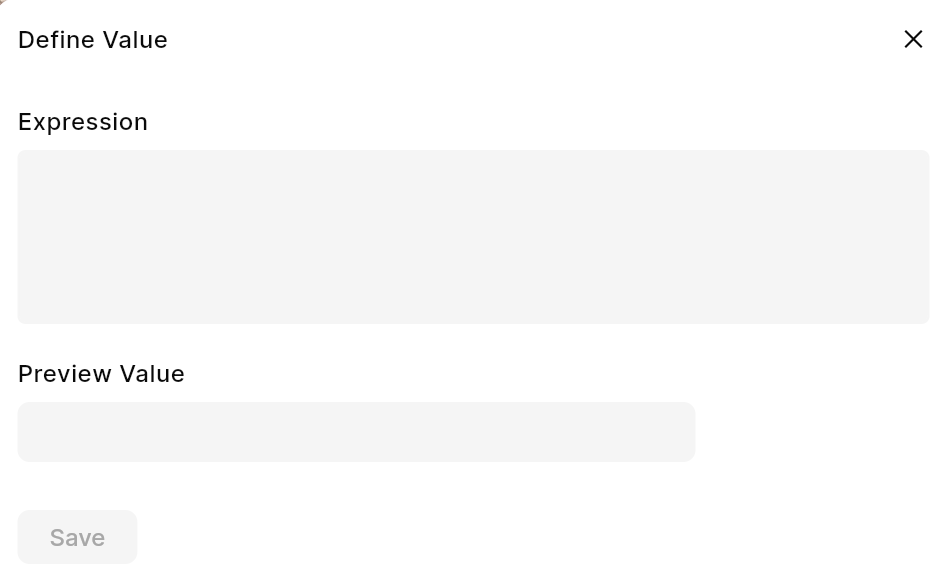
The Digia Dashboard allows you to enrich your app’s behavior by adding custom expressions and logic directly from the UI. This can be done in any field that supports **dynamic values** — simply click on the **dynamic field icon** \[<>] and the **Code Dialog** will open.
Within this dialog, you can:
✅ **Use built-in expression functions**\
✅ **Nest expressions**\
✅ **Combine expressions with your own JavaScript functions**\
✅ **Generate expressions using AI**
Preview Value is used for the Design mode and has no impact on the actual expression.
***
### 🤖 AI-Powered Expression Generation
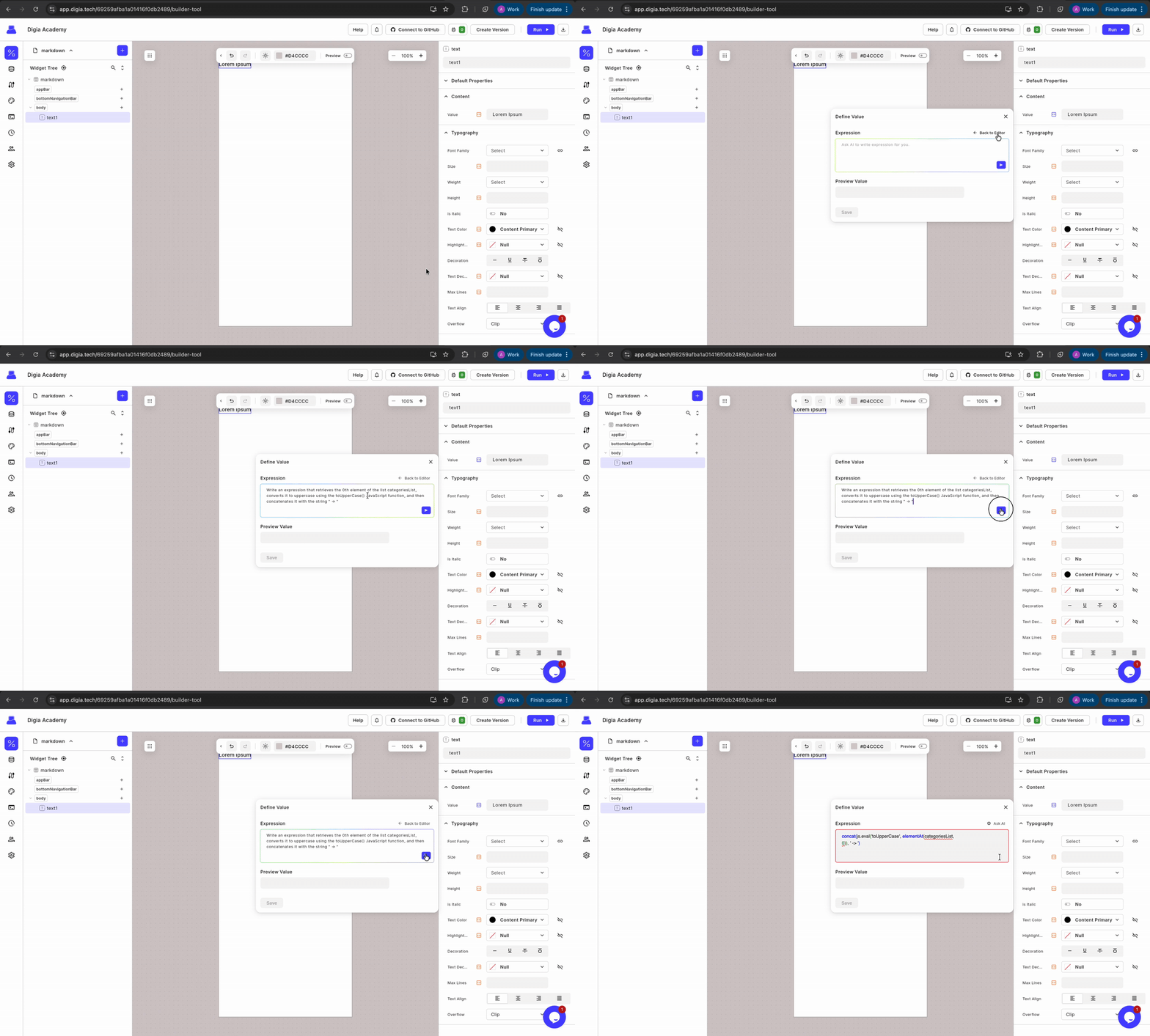
Digia now supports AI-assisted expression writing. Simply write a prompt describing what the expression should do, hit generate, and the AI will create the expression for you. The generated expression is fully editable, allowing you to refine it as needed.
AI expression generation dialog
This feature makes it easier for anyone to create complex expressions without deep knowledge of the syntax.
{% embed url="" %}
***
### 🧠 Built-In Functions
Digia provides many built-in functions out of the box. These are grouped into the following categories:
| Category | Description |
| -------------------------------------------------------------------------- | ----------------------------------------- |
| [**JSON**](/logic-and-interaction/adding-logic/json-operators.md) | Work with JSON objects and extract values |
| [**Math**](/logic-and-interaction/adding-logic/math-operators.md) | Perform numeric calculations |
| [**DateTime**](/logic-and-interaction/adding-logic/date-time-operators.md) | Parse, convert, and format dates |
| [**String**](/logic-and-interaction/adding-logic/string-operations.md) | Manipulate string values |
| [**Logical**](/logic-and-interaction/adding-logic/logical-operators.md) | Add comparisons and logical operations |
These functions can be mixed and matched in expressions and can also be **nested** within each other.
***
### 📌 Examples
| Expression | Description |
| ---------------------------------------------- | ------------------------------------------------------- |
| `jsonGet(response.data, 'users[0].id')` | Returns the `id` of the first user in the list |
| `isNotEqual(2, 2)` | Returns `false` because both arguments are equal |
| `isoFormat('2024-06-03T23:42:36Z', 'Do MMMM')` | Converts ISO string into a readable format (`3rd June`) |
***
### 🔁 Nested Expressions
Expressions can reference other expressions:
```javascript
isNotEqual(
jsonGet(response.data, 'users[0].id'),
5
)
```
> In this example, the platform first resolves `jsonGet(...)`, and then evaluates the result against the number `5`.
***
### 🧩 [Custom JavaScript Functions](/logic-and-interaction/adding-logic/functions.md)
If the built-in expression language isn’t enough, you can write your own **JavaScript function** and call it from the code dialog.
Example:
```javascript
// Example in your functions
//Arguments are passed as an array
function calculateDiscount(args) {
var price = args[0];
return price * 0.8;
}
```
```javascript
// Called in Digia expression
js.eval('calculateDiscount', product.price)
```
***
### ✅ Summary
| Feature | Available |
| -------------------------------- | --------- |
| Built-in expression functions | ✅ |
| Nested expressions | ✅ |
| Custom JavaScript invocation | ✅ |
| Combination of both | ✅ |
| AI-powered expression generation | ✅ |